A conversation translator for two people, on one phone
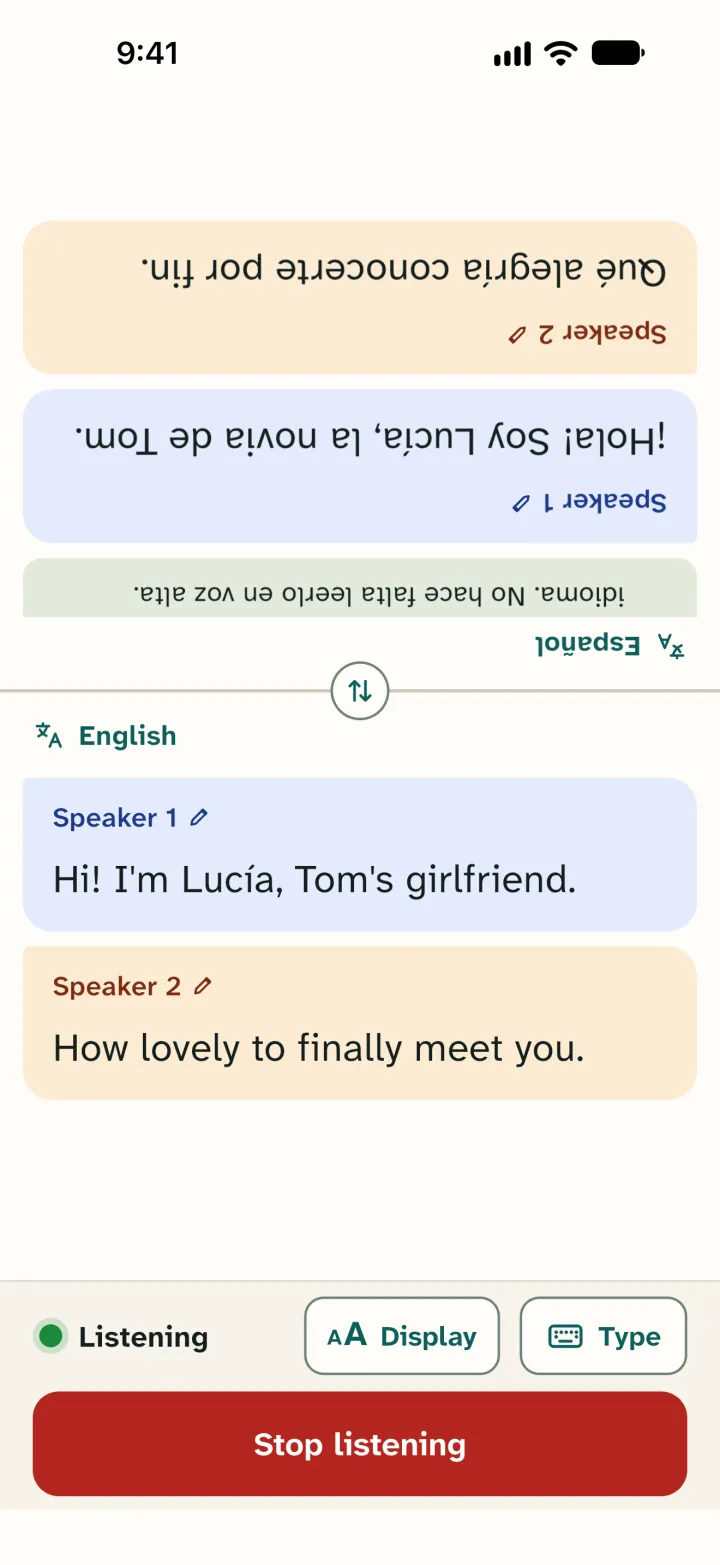
Put the phone between you. Each of you reads the conversation live in your own language. The top half is upside down, so the person across from you can read along. Choose from 60 languages.

Works on iPhone with iOS 15 or later and on Android 7.0 or later.
60 free minutes every month in the app, no account needed.
In the browser you get 1 minute to try it without an account. With a free account you get 60 minutes there every month.
How does translating a conversation work?
Choose Talk in two languages, pick your two languages and put one phone between you. You speak English, the other person speaks Dutch. What you say, they read in Dutch. What they say, you read in English. Hold the phone upright and the top half turns upside down, so the person across from you can read along.
In the app on your phone, the other person first sees a short note in their own language: this phone translates the conversation, and you can answer in your own language. Not sure which language someone speaks? The app on your phone can detect it.
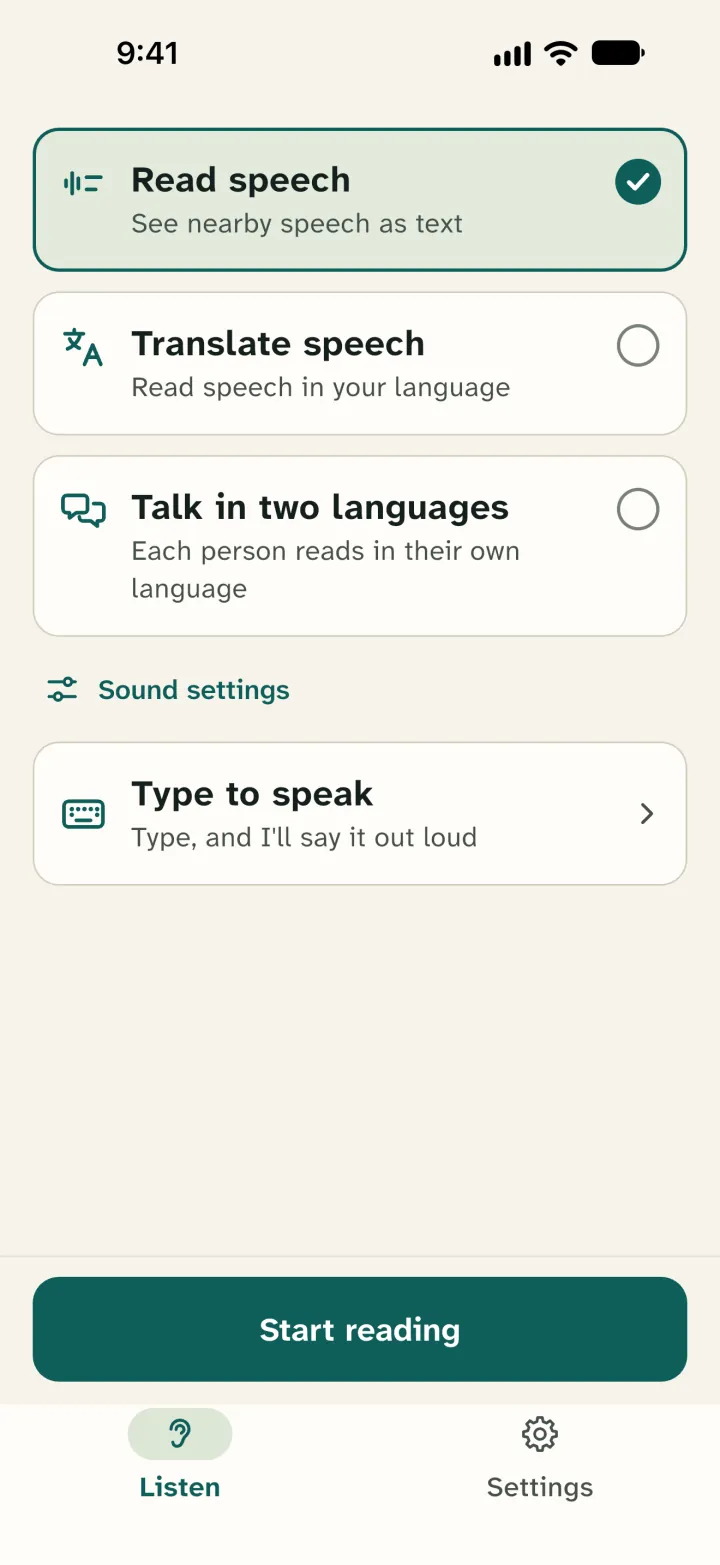
If only you need to read along, choose Translate speech. You see what is said in your own language, for example on a guided tour in Dutch.
You both read. If the other person would rather hear the translation, Google Translate in Conversation mode fits better.
Which languages?
Leo Speak translates between 60 languages, and between any two of them. So Arabic to Turkish works too, without English in between. The 60 include English, Dutch, Arabic, Turkish, Polish, Ukrainian, Russian, Persian, Spanish and Portuguese.
All 60 languages are listed on the facts page. The app itself is available in those 60 languages too.
Living in the Netherlands?
Dutch and English are both among the 60. Put the phone on the desk at the GP, at a parent-teacher meeting or at the gemeente, and each of you reads the conversation in your own language. For a diagnosis or anything with legal weight, ask for a professional interpreter. Tigrinya, Somali, Amharic, Kurdish, Pashto, Dari, Papiamento and sign language are not among the 60.
Where do people use it?
At a service desk
At the town hall, the library or a housing office. The phone lies on the desk and each of you reads in your own language. Work at a desk like that? See Leo Speak for organisations.
At school
A talk between a teacher and a parent who speaks little of the school's language. The parent reads along in their own language and simply answers.
At the doctor's
It can help with an appointment or a short question. For a diagnosis or a treatment, ask for a professional interpreter. A translation app can make mistakes, and that is when you need to be sure.
Hard of hearing, and another language
If you hear poorly and the other person speaks another language, an app that only reads the translation aloud doesn't help much. Leo Speak puts everything on the screen, in large text, with a colour for each speaker.
How it works
Choose Talk in two languages
Open Leo Speak, choose Talk in two languages and pick your two languages. No account needed.
Put the phone between you
Tap Start conversation and talk the way you always do.
Each reads in their own language
You read the bottom half, the other person reads the top half. What is said appears in both languages right away.
Leo Speak and other translation apps
Google Translate, Microsoft Translator and Apple Translate can translate a conversation too, and they are free. These are the differences. We checked them on 1 and 4 November 2026, in the Dutch App Store and on each maker's help pages.
| App | Languages | Cost | Choose it if |
|---|---|---|---|
| Leo Speak | 60 | 60 minutes a month free, then from €4.99 a month in the app | you both want to read along in large text and see who says what |
| Google Translate | More than 100 | Free | the other person wants to hear the translation, or speaks a language that is not among our 60 |
| Microsoft Translator | More than 100 for text | Free | you also want to translate text or a photo |
| Apple Translate | 19 | Free | you have an iPhone and want to translate without internet |
Leo Speak is stronger when you want to see who says what: each speaker gets a colour and a label, and you can give a speaker a name. Text goes up to Extra large. You get captions and translation in one app, on iPhone, Android and in the browser. Apple Translate only runs on Apple devices.
On price we don't win here: these three are free. Google Translate and Microsoft Translator know more languages and also translate text and photos. Google Translate can speak the translation aloud. Apple Translate works offline on an iPhone if you download the languages first. Leo Speak always needs internet.
What happens to the conversation?
We keep no audio and no conversation text on our server. The speech service we use processes the audio in the EU. According to that service, it is not stored or used for training. You can keep a conversation only on your own phone, and only if you choose to. There are no ads in the app. The details are in the privacy policy.
What does it cost?
In the app you get 60 free minutes every month, no account needed. Translation is included.
Need more? In the Netherlands, Light costs €4.99 a month for 10 hours in the App Store and Google Play (November 2026). Store prices differ per country. At full use that comes to €0.50 an hour. In the browser it is cheaper: Light costs €4.49 a month there. Hours you don't use are saved for as long as your plan runs, if you have a free account. You can cancel at any time.
All plans are on the pricing page.
Good to know
- Leo Speak captions what your phone's microphone hears nearby. So put your phone close to whoever is talking.
- It is not meant for phone calls, video calls, video or TV.
- In a noisy room a word will come out wrong more often. The sentence around it usually makes the meaning clear.
- Translation is automatic and can contain mistakes.
Questions
Does translation cost extra?
No. A minute of translation counts as a minute of reading along. Translation is also included in the 60 free minutes a month.
Does it work without internet, for example on holiday?
No, Leo Speak needs internet. If you are somewhere without a connection and have an iPhone, Apple Translate with downloaded languages will serve you better.
How good is the translation?
Translation is automatic and can contain mistakes. Nobody checks it while you talk. Watch names, numbers and dates, and if in doubt, ask whether the other person understood. If it's about your health or money, ask for an interpreter.
Read more
Put Leo Speak on your phone
60 free minutes every month in the app, no account needed.